

The green dot on Snapchat means that a friend has been active on Snapchat recently. Snapchat calls this feature the Activity Indicator. However, seeing the green dot does not guarantee that the person is online right now, reading your messages, or ready to reply.
If you have noticed a green dot beside someone’s avatar and wondered what it means, this guide explains how it works, why it appears, and how to manage your own activity status. You will also learn how the green dot differs from Snap Map, chat indicators, and other Snapchat symbols.
What Does the Green Dot on Snapchat Mean? (Quick Answer)
The green dot on Snapchat is an activity indicator that signals recent activity on the platform. It appears on a friend’s avatar unless that person has disabled the feature.
Here are the main points to remember:
- Recent activity: The person has used Snapchat recently.
- Not guaranteed to be online: The dot does not confirm that the person is using the app at that exact moment.
- Not a read receipt: It does not prove that the person has opened your chat or read your message.
- Privacy control: Snapchat users can turn off their own Activity Indicator in the app’s settings.
What Does the Green Dot on Snapchat Mean?
Snapchat’s green dot is a small visual signal associated with a user’s recent activity. It can appear on a friend’s avatar in the app, including in areas where Snapchat displays friend profiles.
The purpose is to give other Snapchatters a general indication that someone has been active recently. It is not designed to provide a complete record of their activity or an exact time when they last used the app.
For example, if you see a green dot beside a friend’s Bitmoji, Snapchat is indicating recent activity. However, your friend might have already closed the app or moved on to another task.
What does the green dot tell you?
The green dot provides a limited piece of information: Snapchat considers the account recently active, provided the indicator is enabled.
It does not reveal which feature the person used, how long they spent on Snapchat, or whom they contacted. Snapchat’s official support documentation also does not specify an exact time window for the word “recently.”
This distinction matters because an activity signal is not the same as a live online status. You should not use the green dot alone to decide whether someone is ignoring you or deliberately avoiding a conversation.
Does the Green Dot Mean Someone Is Online Right Now?
No, not necessarily. The green dot indicates recent activity, but it is not reliable proof that someone is currently using Snapchat.
A person may open Snapchat to check a Story, view a notification, or look at a friend’s profile and then close the app. Their activity indicator may still appear even after they stop using it.
Consider this example: you send your friend a message and notice a green dot beside their avatar. You might assume they have seen your message but are choosing not to answer. In reality, the dot does not tell you whether they opened your conversation.
What the green dot does and does not mean
| What you notice | What you can reasonably conclude |
|---|---|
| A green dot beside an avatar | Snapchat indicates recent activity. |
| A green dot while your message remains unopened | You cannot conclude that the person read it. |
| No green dot beside a friend’s avatar | Their activity may not be displayed; it does not prove they are inactive. |
| A green dot that remains visible | It is not a reliable live-status clock. |
The safest approach is to treat the green dot as a general activity signal rather than a precise online-status tracker.
What Does the Green Dot Mean in Snapchat Chats?
When you see a green dot while looking at friends or their profiles, it can be tempting to connect it to your conversations. However, Snapchat’s Activity Indicator and its message-status symbols serve different purposes.
A green dot does not confirm that someone has opened your chat, viewed a Snap, started typing, or read a particular message. Those actions are separate from the recent-activity signal.
For example, imagine you send a Snap to a friend. Their avatar shows a green dot, but the Snap still appears as delivered. The green dot alone does not tell you whether they have opened the Snap.
Green dot versus opened and delivered indicators
Snapchat uses different visual symbols to communicate message and Snap status. Depending on the type of content and its current status, you may see indicators for sent, delivered, opened, or viewed items.
These symbols should not be confused with the green Activity Indicator. A recent-activity signal describes general app activity, while a message-status indicator relates to a specific interaction.
If you want to understand whether a particular message has been opened, check the relevant chat status instead of relying on the green dot.
Why Does the Green Dot Appear on Snapchat?
The green dot appears because Snapchat’s Activity Indicator is designed to show recent activity. According to Snapchat Support, it appears on a friend’s avatar unless that person disables it.
The feature can help friends recognize that someone has recently used the platform. Still, it does not reveal the person’s exact actions or guarantee that they are available to communicate.
Why some friends have no green dot
There are several possible explanations for a missing indicator:
- The person disabled it: Snapchat allows users to turn off their Activity Indicator.
- Their activity is not currently being displayed: The absence of a dot does not establish when they last used the app.
- The indicator is not a complete activity record: It should not be treated as a reliable history of someone’s Snapchat use.
Do not assume that a missing green dot means someone blocked you, removed you as a friend, or stopped using Snapchat. The indicator alone cannot establish any of those things.
How to Turn Off the Green Dot on Snapchat
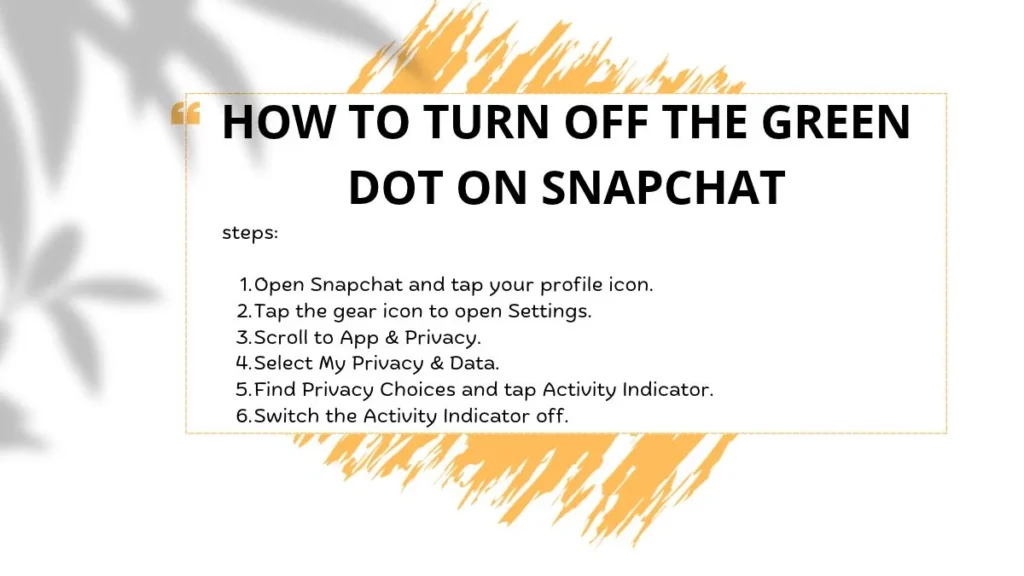
If you prefer not to let other Snapchatters see your recent-activity indicator, you can disable it in your privacy settings.
Snapchat’s documented settings path is:
- Open Snapchat and tap your profile icon.
- Tap the gear icon to open Settings.
- Scroll to App & Privacy.
- Select My Privacy & Data.
- Find Privacy Choices and tap Activity Indicator.
- Switch the Activity Indicator off.
Menu names and their locations can change between app versions, so your screen may look slightly different.
Turning off the Activity Indicator controls this particular recent-activity signal. It does not automatically hide your Snap Map location, change your Story audience, or alter every other privacy setting.
Can you hide the green dot from just one person?
Snapchat’s official instructions describe a general Activity Indicator setting rather than a confirmed control for hiding the indicator from one selected friend. Do not assume that you can create a different activity-indicator setting for each person.
If your goal is to control what other people can see, review your contact, Story, location-sharing, and other privacy settings separately.
Is the Green Dot on Snapchat a Privacy Concern?
The green dot shares limited information about recent app activity. Someone who sees it may infer that you have used Snapchat recently, but the indicator does not provide a detailed account of your conversations or actions.
Whether you want to display it depends on your privacy preferences. Some users like the convenience of showing friends that they have been around recently. Others prefer not to share activity signals because they want more privacy or do not want to feel pressured to respond immediately.
You can disable the indicator if you prefer to keep that information private. You should also remember that the Activity Indicator and Snap Map are separate features, so review location sharing independently if that is a concern.
Practical tip: You do not owe anyone an immediate reply simply because you have used Snapchat. App activity does not mean you are free to chat.
What Is the Difference Between the Green Dot and Snap Map?
The green dot and Snap Map are separate Snapchat features. The Activity Indicator provides a general signal of recent app activity, while Snap Map relates to location sharing.
Snap Map may display a friend’s location when they have chosen to share it with you and the relevant location information is available. A location display is not the same as proof that the person is actively using Snapchat.
| Feature | Meaning | Key difference |
|---|---|---|
| Green dot | Recent Snapchat activity | Does not confirm a current online session. |
| Snap Map | Location information, subject to sharing settings | Concerns location rather than general activity. |
| Ghost Mode | Limits other people’s ability to see your location on Snap Map | Does not replace the Activity Indicator setting. |
| Chat status | Shows the status of a particular message or Snap | Relates to a specific interaction. |
If you want to hide your location, review Snap Map’s privacy controls. If you want to hide your recent-activity signal, change the Activity Indicator setting instead.
Common Misconceptions About Snapchat’s Green Dot
The green dot can be easy to misunderstand because it looks like the online indicators used by other messaging apps. Here are the most important mistakes to avoid.
Myth 1: The person is definitely online
Fact: The dot indicates recent activity, not guaranteed real-time presence. Snapchat does not publish an exact time window in its official explanation.
Myth 2: The person has read your message
Fact: The green dot does not confirm that a specific chat or Snap has been opened. Check the relevant message-status indicator instead.
Myth 3: The person is ignoring you
Fact: An activity indicator cannot tell you someone’s intentions. They may have used Snapchat briefly without seeing your message or being ready to reply.
Myth 4: No green dot means the person is inactive
Fact: A missing dot does not establish that someone has not used Snapchat. The person may have disabled the indicator, or the app may not be displaying it.
Myth 5: Ghost Mode removes the green dot
Fact: Ghost Mode concerns location visibility on Snap Map. The Activity Indicator has its own privacy setting.
Why Do People Check the Green Dot?
People often look at activity indicators because they want to understand whether a friend might be available to chat. It can also help them make sense of confusing conversations or delayed replies.
However, a small icon cannot explain a person’s schedule, feelings, or reasons for not responding. Someone might open Snapchat for a few seconds and then return to schoolwork, family responsibilities, or another activity.
A useful rule is to separate what you can observe from what you assume. Seeing the green dot is an observation; deciding that someone is deliberately ignoring you is an assumption.
If a message matters, give the other person time to respond. For something urgent, use an appropriate communication method rather than relying on Snapchat’s activity signal.
Frequently Asked Questions
1. What does the green dot on Snapchat mean?
It means Snapchat indicates that the person has been active on the platform recently. The feature is called the Activity Indicator, and it does not guarantee that the person is online right now.
2. Does the green dot mean someone is online right now?
Not necessarily. The dot indicates recent activity, but it is not a reliable real-time status indicator. Snapchat’s official support page does not specify exactly how long the signal remains visible.
3. Does the green dot mean someone is ignoring me?
No. It does not reveal whether someone has seen your message, noticed your notification, or chosen not to respond. Avoid drawing conclusions about a person’s intentions from this icon alone.
4. Can I turn off my green dot on Snapchat?
Yes. Open your profile, go to Settings, select App & Privacy, then My Privacy & Data, and find Activity Indicator under Privacy Choices. Turn it off to hide this activity signal. Menu labels may vary by app version.
5. Does the green dot mean someone has opened my Snap?
No. The green dot indicates recent activity, not the status of a specific Snap. Check the relevant sent, delivered, opened, or viewed indicator to understand the status of that interaction.
6. Why does someone have no green dot on Snapchat?
They may have disabled their Activity Indicator, or the indicator may not be displayed in the situation you are viewing. A missing dot does not prove that they are inactive, have blocked you, or have removed you as a friend.
7. Does Ghost Mode hide my green dot?
Ghost Mode is a Snap Map location privacy feature, whereas the Activity Indicator controls the green dot associated with recent activity. They are separate settings, so changing one should not be assumed to change the other.
References
For the most reliable and up-to-date information, consult Snapchat’s official support documentation:
- Snapchat Support: What does the green dot in my Friends’ avatars mean?
- Snapchat Support: How do I change my privacy settings on Snapchat?
These sources explain the Activity Indicator and the available privacy controls. Snapchat does not specify an exact duration for its definition of “recently,” so this article avoids claiming a fixed number of minutes or hours.
Conclusion
The green dot on Snapchat means that a friend has been active on the app recently. It is a useful general signal, but it does not prove that the person is online at that exact moment, has read your message, or is ignoring you.
If you want more privacy, you can disable your own Activity Indicator through Snapchat’s settings. Remember that this feature is separate from Snap Map, Ghost Mode, and chat-status symbols.
The key takeaway is simple: use the green dot as a general sign of recent activity, not as proof of someone’s availability or intentions.

Daniel Carter is a passionate writer and creative storyteller dedicated to exploring the deeper meanings of life, dreams, and human experiences. With a strong interest in symbolism, spirituality, and personal growth, Daniel brings clarity to complex ideas, making them easy to understand for readers from all walks of life.
As a featured author on meaniings.com, Daniel Carter focuses on delivering insightful, well-researched, and engaging content that helps readers uncover hidden meanings behind dreams, emotions, and everyday situations. His writing style combines thoughtful analysis with a relatable voice, making his work both informative and inspiring.
Daniel’s approach is rooted in curiosity and a desire to guide readers toward self-awareness and understanding. He believes that every dream and experience carries a message—one that can lead to personal transformation when interpreted correctly.
Over time, Daniel has built a reputation for creating meaningful content that resonates with a global audience, especially those interested in dream interpretation and spiritual insight.
Books by Daniel Carter:
- The Hidden Language of Dreams
- Signs, Symbols, and Their Meanings
- Unlocking the Power of Your Subconscious Mind